Developer Information
API DOCS
View the API Docs
Get developer access
- Sign up for a developer account or login if you already have one.
Using the Developer Portal
Gain access to the API using the steps below
- Signup/Login
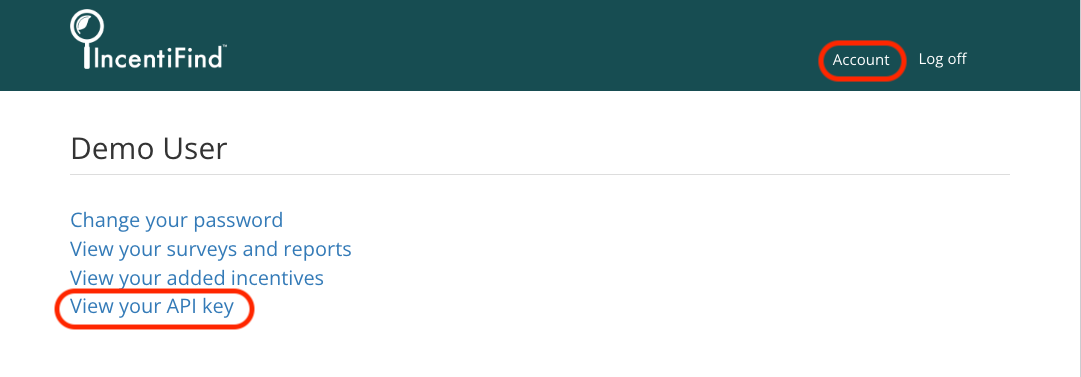
- Click the profile icon on the top right

- Sign up if you do not already have an account, or log in if you already have created your account.
- Get your API key
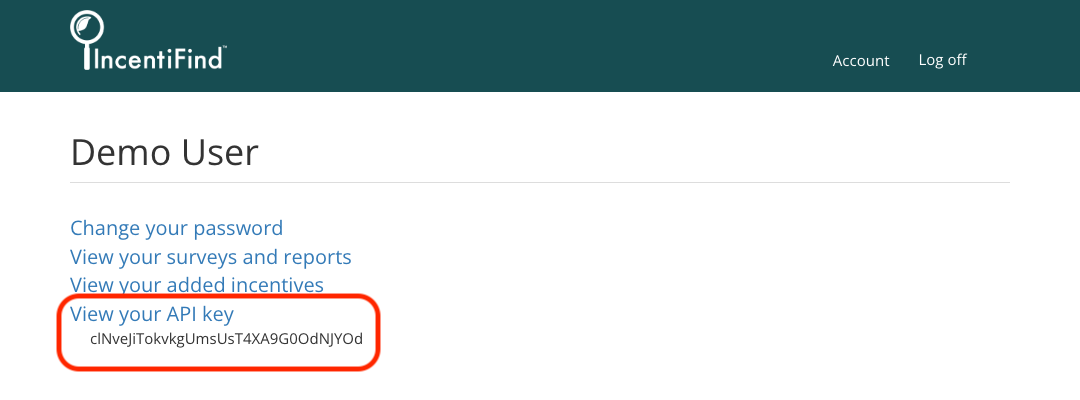
- Click 'View your API key'
- Copy your key
- Testing the API
- Visit the test page here
- Paste your key in the "API Key" input. Fill out the remaining inputs, and click "Submit"
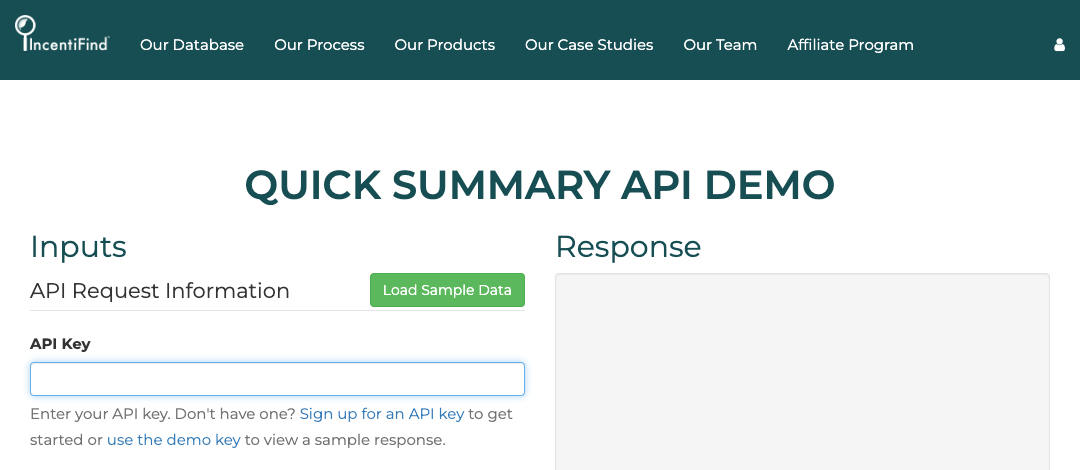
- View the output in the "Response"/"Results"